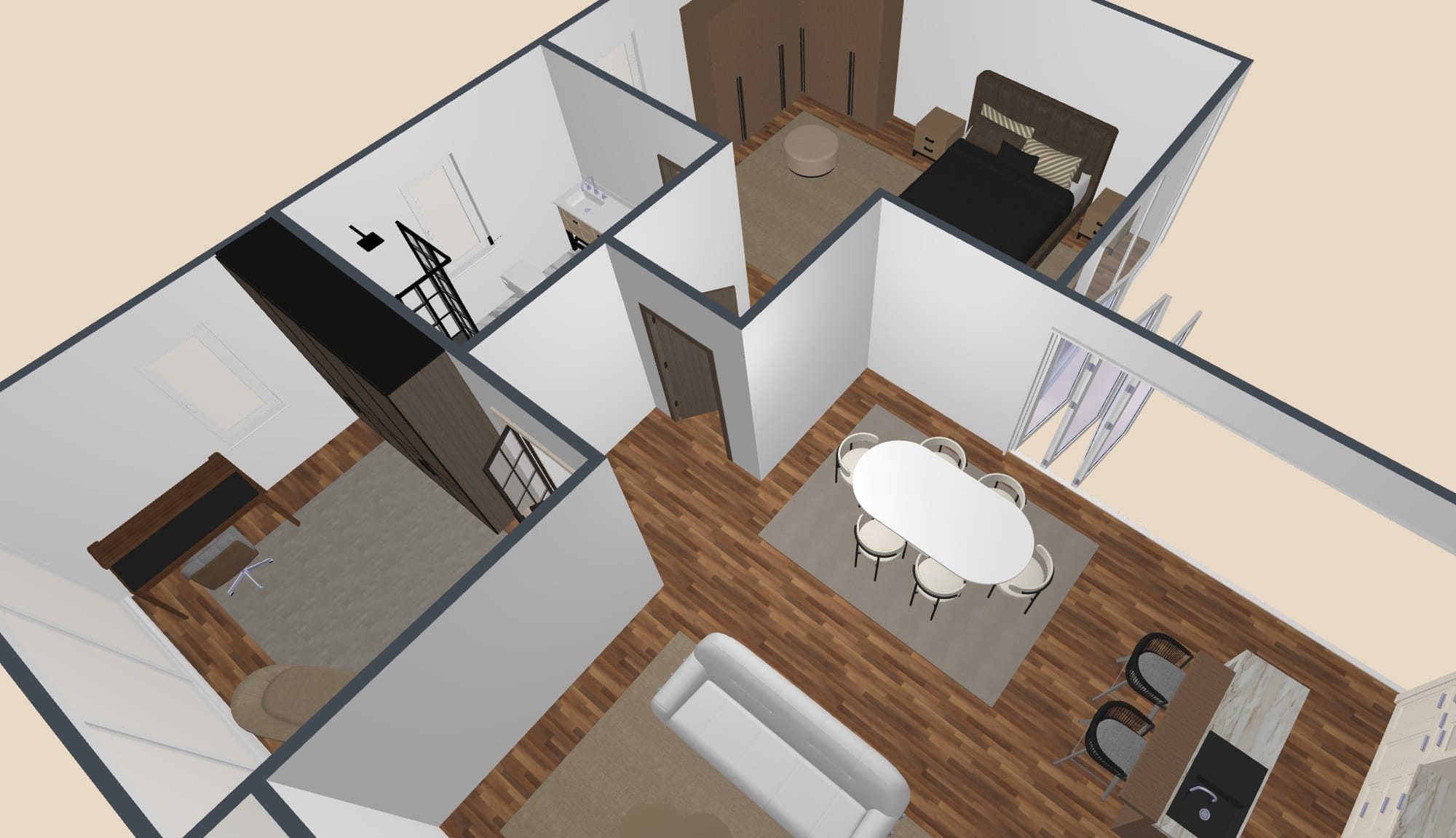
Floor plans are the foundation of any building or renovation project. They provide a clear visual representation of spaces, dimensions, and layouts, helping clients, architects, and builders communicate more effectively. In the past, creating floor plans was a time-consuming process involving manual drawing, adjustments, and redrawing. Today, with advanced software tools, professionals can draft floor plans quickly, accurately, and with greater flexibility.
Why Floor Plans Matter in Design
Before understanding how software speeds up the process, it’s important to know why floor plans are essential. They serve as a roadmap for construction and design decisions. A well-prepared floor plan can:

- Show the arrangement of rooms and furniture
- Help identify design problems before construction begins
- Save costs by reducing mistakes
- Provide clients with a clear view of how their space will look
The Shift from Manual Drafting to Software
Traditionally, architects used paper, pencils, and rulers to sketch layouts. Any mistake meant starting over, which consumed valuable time. The shift to digital design software transformed the workflow. With a few clicks, professionals can now create, edit, and present designs more effectively. The benefits include:
- Faster creation of layouts
- Easy modifications without starting from scratch
- 2D and 3D visualization for better understanding
- Accurate measurements and scaling
Key Features That Make Drafting Easier
Modern floor plan software is designed with features that simplify the drafting process. Some of the most useful include:
- Drag-and-drop tools: Place walls, windows, doors, and furniture instantly.
- Pre-built templates: Start from ready-to-use layouts instead of drawing from scratch.
- Measurement accuracy: Automatic calculations ensure precise scaling.
- 3D visualization: Allows clients to “walk through” the space virtually.
- Collaboration tools: Teams can work together on the same plan remotely.
These features allow architects, interior designers, and even homeowners to draft floor plans quickly while maintaining accuracy.
Popular Software Professionals Use
Different professionals rely on different tools depending on project size, complexity, and requirements. Some commonly used software includes:
- AutoCAD – A highly detailed drafting tool used by architects and engineers.
- SketchUp – Great for 3D modeling and interior design presentations.
- RoomSketcher – Known for its easy drag-and-drop interface.
- Planner 5D – Offers quick 2D and 3D views for design ideas.
- Revit – Used in large-scale construction projects for Building Information Modeling (BIM).
Benefits of Using Software for Drafting
Professionals choose digital tools for many reasons. Some of the biggest advantages are:
- Time-saving: Projects that once took days can now be completed in hours.
- Professional presentations: Clients can see realistic renderings.
- Fewer errors: Built-in tools minimize mistakes in scaling and measurement.
- Flexibility: Changes requested by clients can be made instantly.
- Cost efficiency: Reduces expenses by eliminating repeated manual revisions.
Collaboration and Remote Work Advantage
Another reason software has become a standard is its ability to support teamwork. Cloud-based platforms let professionals share floor plans with clients and colleagues instantly. This ensures:
- Faster feedback
- Real-time edits
- Easy access from anywhere
Such features not only save time but also keep everyone on the same page, avoiding costly miscommunication.
How Clients Benefit from Digital Floor Plans
It’s not just professionals who benefit from software-driven floor plans. Clients also gain more control and understanding of the process. With digital tools, clients can:
- View multiple design options
- Make requests for modifications instantly
- Understand layouts with 3D visualization
- Feel more confident in their investment
When clients are engaged and informed, projects progress more smoothly, leading to greater satisfaction on both sides.
Pro Site Plans: A Smarter Way to Get Floor Plans
For businesses and homeowners who want professional results without spending hours learning software, Pro Site Plans offers an excellent solution. This service specializes in creating precise and visually appealing floor plans tailored to each project’s needs. With skilled designers and advanced tools, Pro Site Plans delivers quick turnaround times and polished results. Whether it’s for real estate listings, renovation projects, or architectural presentations, they make the process simple. By outsourcing to Pro Site Plans, you can save time, reduce stress, and still receive high-quality floor plans that meet industry standards.